SARC Repeater 70cm Dual Mode FM Analogue
Yaesu System Fusion with WiresX connectivity
A club-focused guide for Schaumburg Amateur Radio Club members who already know the analog side of the system but have not yet used the Yaesu System Fusion side of the club’s UHF machine. This version is written for practical first use on a Yaesu FT5D handheld and a Yaesu FTM-400 mobile.
Executive summary
The SARC UHF repeater is published on the current club repeater page as 442.275 MHz output with +5 MHz input, PL 114.8 Hz for analog operation, and a default WIRES-X room identified as IL-K9IIK-ROOM / #40294. SARC’s 2021 Fusion update also says the repeater automatically recognizes analog FM versus Yaesu System Fusion and switches accordingly, which is exactly the use case Yaesu describes for AMS, its automatic mixed-mode function (SARC repeater page; SARC “442.275 MHz UHF Repeater Update – Yaesu Fusion”; Yaesu System Fusion overview).
For most members, the easiest and least confusing approach is to save two memories on each radio: one forced to FM for analog nets and FM-only users, and one set to AMS/Auto for mixed-mode operation or first-time Fusion testing. If you specifically want a digital-only voice path, save a third copy as DN. On Fusion radios, you do not set a DMR color code, and you do not program D-STAR-style RPT / URCALL / DST values for ordinary repeater access. The settings that matter here are the repeater frequency, shift, analog tone when using FM, the radio mode, DG-ID, and optional WIRES-X linking (Yaesu FT5D Operating Manual; Yaesu FTM-400 Quick Manual; Yaesu FTM-400 DG-ID / WIRES-X guide; ARRL Technician Question Pool).
Best first setup: save K9IIK FM as 442.275 / +5.000 / PL 114.8 / FM, and save K9IIK AMS as 442.275 / +5.000 / DG-ID 00/00 / AMS. Start with the AMS memory, listen first, then ask for a short digital audio check (SARC repeater page; Yaesu FT5D Operating Manual; Yaesu FTM-400 Quick Manual).
The SARC Fusion repeater in practical terms
| Parameter | Value to use | Practical note |
|---|---|---|
| Repeater output / radio receive | 442.275 MHz | Published on the current SARC repeater page. |
| Repeater input / radio transmit | 447.275 MHz | Derived from the current SARC listing of +5 MHz input for 442.275 MHz. |
| Offset | +5.000 MHz | Use this if your radio is not picking the shift correctly by band plan. |
| Analog PL | 114.8 Hz | Required for the analog FM memory. |
| Fusion capability | Dual-mode FM + C4FM digital | SARC says the repeater automatically recognizes analog FM and Fusion. |
| Default WIRES-X room | IL-K9IIK-ROOM / #40294 | This is the current room label on the SARC repeater page. |
| Recommended starting DG-ID | TX 00 / RX 00 | Safe default unless SARC publishes a different DG-ID. |
Source basis for the table above: SARC repeater page and SARC 2021 Fusion update, with operating behavior aligned to Yaesu System Fusion documentation.
| Item | Status | What to do for now |
|---|---|---|
| Special DG-ID requirement other than 00 | UNSPECIFIED | Start with TX 00 / RX 00. |
| User policy for changing the repeater’s room | UNSPECIFIED | Assume the published room is the normal parked room unless a control operator says otherwise. |
| Published YSF reflector for the repeater itself | UNSPECIFIED | Treat native repeaters as WIRES-X unless the club documents a different policy. |
| Digital-only access tone or other gate value | UNSPECIFIED | Not normally required in Fusion; use the published RF settings and DG-ID 00/00. |
Club operating takeaway: this repeater is best understood as one shared RF resource that supports three member behaviors: plain old analog FM, local Fusion digital voice, and optional WIRES-X linking when appropriate. That mixed-mode migration path is the design goal Yaesu gives for System Fusion repeaters and AMS-capable radios (SARC 2021 Fusion update; Yaesu System Fusion overview).
Fusion modes, DR versus radio settings, and what does not apply
Yaesu System Fusion mixes ordinary analog FM with C4FM digital. Yaesu describes DN as the normal digital voice/data mode, VW as the higher-fidelity digital voice mode, and AMS as the automatic mode that detects whether the received signal is FM or C4FM and switches accordingly. For a mixed club repeater like SARC’s, AMS is the best default unless you have a specific reason to force FM or DN (Yaesu System Fusion overview; Yaesu System Fusion technical text; SARC 2021 Fusion update).
| Item | Applies to Fusion on K9IIK? | How to treat it |
|---|---|---|
| Receive frequency, transmit shift, analog tone | Yes | These are the repeater basics. Use 442.275, +5.000, and 114.8 Hz for the FM memory. |
| FM, AMS, DN, VW | Yes | FM for analog-only, AMS for mixed-mode convenience, DN when you want a digital-only voice path, VW only if conditions are strong and you specifically want the higher-fidelity mode. |
| DG-ID | Yes | Use TX 00 / RX 00 as the baseline unless the club publishes something more specific. |
| WIRES-X room or node selection | Yes, when linking | Only needed when you intentionally use internet linking. |
| DR or repeater-list entry | Sometimes | Helpful as a convenience, but verify its underlying values against the current SARC page. Directory entries and radio lists are not a substitute for checking the actual repeater settings. |
| Color code | No | DMR only. Not applicable to Fusion. |
| RPT / URCALL / DST | No | D-STAR only. Not applicable to Fusion repeater access. |
The easiest way to think about DR on a Yaesu radio is that it is a convenience layer. A DR entry or repeater-list entry may save time, but what really determines whether the repeater works are the stored RF and digital settings inside the radio: frequency, shift, tone if you are on FM, operating mode, DG-ID, and optional WIRES-X node or room selection. That is why it is smart to verify the club repeater manually even if your radio offers a DR entry for it (inference drawn from the Yaesu FT5D Operating Manual and Yaesu FTM-400 Quick Manual).
Simplex versus repeater
In simplex, the radio transmits and receives on the same frequency and the repeater shift is set to SIMPLEX. In repeater operation, the radio uses a shift and, in analog FM, usually a tone as well. On the FT5D, Yaesu exposes repeater shift directly as SIMPLEX / -RPT / +RPT. For a simple radio-to-radio FM check, common U.S. calling frequencies include 146.520 MHz and 446.000 MHz; for a Fusion simplex test, coordinate a locally clear simplex frequency because SARC does not publish a club Fusion simplex channel on the reviewed pages (Yaesu FT5D Operating Manual; ARRL repeater basics; SARC site review).
Hotspot versus repeater
A hotspot is usually a low-power personal internet gateway. A repeater is shared local RF infrastructure. ARRL’s current Technician question pool defines the hotspot in that internet-assisted digital-voice context, and Yaesu adds an important Fusion-specific caution: many third-party hotspots connect to YSF or FCS reflectors rather than to native WIRES-X. So if your radio behaves one way on a hotspot and another way on K9IIK, that is normal and does not by itself indicate a radio problem (ARRL Technician Question Pool; Yaesu System Fusion documentation about hotspot differences).
flowchart TD
    A[Need to use the SARC 442.275 repeater] --> B{What do you want to do?}
    B -->|Join an analog net or talk to FM-only users| C[Select K9IIK FM\n442.275 / +5 / PL 114.8 / FM]
    B -->|First Fusion attempt or mixed activity| D[Select K9IIK AMS\n442.275 / +5 / DG-ID 00/00 / AMS]
    B -->|Intentional digital voice test| E[Select K9IIK DN or AMS]
    E --> F{Need internet linking?}
    F -->|No| G[Use the repeater as a local Fusion machine]
F -->|Yes| H[Use WIRES-X on the correct band,\nconfirm the room or node,\nand disconnect cleanly when done]FT5D setup
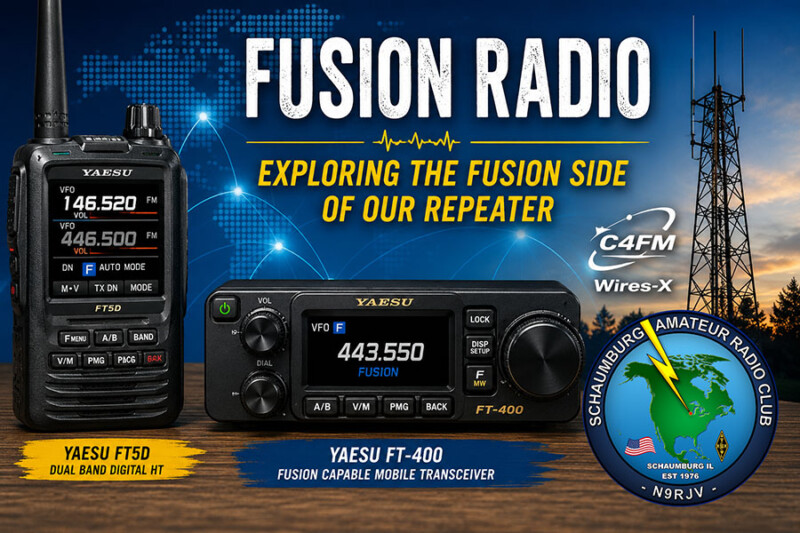
The FT5D is an excellent match for a two-memory SARC workflow because Yaesu explicitly documents that memory storage on the radio includes operating frequency, repeater shift, tone information, and TX/RX DG-ID. For club use, save one memory as K9IIK FM and one as K9IIK AMS. If you later want a forced digital-only voice path, duplicate the AMS memory as K9IIK DN (Yaesu FT5D Operating Manual).
| Function | Menu path or control | K9IIK FM | K9IIK AMS |
|---|---|---|---|
| Working band | A-band preferred | A-band | A-band, especially if you may use WIRES-X later |
| Receive frequency | VFO entry | 442.275 MHz | 442.275 MHz |
| Auto repeater shift | CONFIG → 14 RPT ARS | ON | ON |
| Manual shift if needed | CONFIG → 15 RPT SHIFT | +RPT | +RPT |
| Shift amount if set manually | CONFIG → 16 RPT SHIFT FREQ | 5.000 MHz | 5.000 MHz |
| Analog tone mode | SIGNALING → 11 SQL TYPE | TONE | OFF for a dedicated digital memory |
| Analog tone frequency | SIGNALING → 12 TONE SQL FREQ | 114.8 Hz | Not used for the dedicated digital memory |
| Operating mode | Mode selection | FM | AMS/Auto to start; use DN if you want a forced digital voice memory |
| DG-ID | Digital settings | Not used for analog access | TX 00 / RX 00 |
| WIRES-X DG-ID | WIRES-X → 5 DG-ID | Not needed | AUTO |
| Suggested memory tag | Memory label | K9IIK FM | K9IIK AMS |
| Step | Do this | Result |
|---|---|---|
| Tune the repeater | Put the repeater on A-band and enter 442.275 MHz. | You are listening on the correct club output. |
| Set the shift | Leave RPT ARS ON or manually set +RPT and 5.000 MHz. | Your transmit path should land on 447.275 MHz. |
| Build the analog memory | Set SQL TYPE to TONE, set the tone to 114.8 Hz, and force FM mode. | This becomes K9IIK FM. |
| Store the analog memory | Press and hold V/M, choose a memory channel, save it, and label it K9IIK FM. | The analog repeater memory is ready. |
| Build the Fusion memory | Keep the same receive frequency and shift, use AMS for the operating mode, and verify DG-ID TX 00 / RX 00. | This becomes K9IIK AMS. |
| Store the Fusion memory | Repeat the save procedure and label the new memory K9IIK AMS. | You now have separate analog and Fusion entries. |
| Make the first test | Select K9IIK AMS, listen first, then ask for a brief digital audio check. | You confirm the Fusion path before trying WIRES-X. |
If you decide to try WIRES-X on the FT5D, keep the repeater on A-band and leave WIRES-X DG-ID at AUTO unless the connected node requires something different. Yaesu’s FT5D WIRES-X manual documents local node search, room selection, and clean disconnect behavior; that is worth reading before you move beyond simple local repeater use (Yaesu FT5D WIRES-X manual).
FTM-400 setup
This article treats “FT-400” as the Yaesu FTM-400DR/XDR family, because that is Yaesu’s Fusion-capable mobile platform and the official manuals are published under that family name. The single most important operating rule on the FTM-400 is that Band A is the digital/analog side, while Band B is analog only. If you want Fusion, put the SARC repeater on Band A (Yaesu FTM-400 product page; Yaesu FTM-400 Quick Manual).
| Function | Where to set it | K9IIK FM | K9IIK AMS |
|---|---|---|---|
| Working side | Main operating side | Band A | Band A |
| Receive frequency | Band A VFO | 442.275 MHz | 442.275 MHz |
| Repeater shift | Band A repeater settings | +5.000 MHz | +5.000 MHz |
| Operating mode | Mode key cycles Auto → DN → VW → FM | FM | Auto/AMS to start; DN if you want a digital-only voice memory |
| Analog tone | Band A tone settings | 114.8 Hz | Not used for the dedicated digital memory |
| DG-ID | Hold GM or use the DG-ID settings | Not relevant to analog access | TX 00 / RX 00 |
| WIRES-X DG-ID | DISP(SETUP) → WIRES-X → 5 DG-ID | Not needed | AUTO |
| Suggested memory tag | Memory label | K9IIK FM | K9IIK AMS |
| Step | Do this | Result |
|---|---|---|
| Move the repeater to Band A | Put the SARC memory or VFO frequency on Band A. | Digital modes and WIRES-X are available. |
| Tune the repeater | Enter 442.275 MHz. | You are listening on the correct club output. |
| Set the shift | Apply +5.000 MHz shift and verify that transmit would land on 447.275 MHz. | The repeater path is correct. |
| Build the analog memory | Cycle the mode to FM and set the analog tone to 114.8 Hz. | This becomes K9IIK FM. |
| Store the analog memory | Use the radio’s Memory Write function and save the channel as K9IIK FM. | The FM memory is ready for analog nets and legacy users. |
| Build the Fusion memory | Cycle the mode to Auto for AMS or DN for forced digital voice, then verify DG-ID TX 00 / RX 00. | This becomes K9IIK AMS or K9IIK DN. |
| Store the Fusion memory | Save a second memory and label it K9IIK AMS. | You now have separate analog and Fusion entries. |
| Optional WIRES-X test | Use the FTM-400’s WIRES-X controls to search for the local node or room. Yaesu documents holding DX to search and using the microphone’s * key to disconnect cleanly. | You can test linking without leaving the node connected unintentionally. |
Yaesu’s quick manual says to “normally use the auto mode (AMS)” on the FTM-400. That advice fits the SARC repeater well because the club explicitly describes it as a mixed-mode machine that recognizes analog FM versus Fusion automatically. Put differently: if you just want your first Fusion experience to work with the fewest decisions, use Band A + K9IIK AMS (Yaesu FTM-400 Quick Manual; SARC 2021 Fusion update).
Operating practice, audio quality, linking, and troubleshooting
Best practices for SARC use
The most practical club habit is to listen first, then choose the memory that matches the activity you hear. If the machine is clearly carrying analog FM traffic, use K9IIK FM. If you are not sure, or you are intentionally testing the digital side, use K9IIK AMS. Leave a short pause between overs so others can break in and the repeater has time to reset; that is sound repeater practice regardless of mode (ARRL repeater basics; SARC 2021 Fusion update).
For audio quality, keep microphone technique simple and consistent. Speak in a normal voice, keep the mic position steady, and ask for a quick audio report rather than assuming the mode is at fault. Yaesu distinguishes DN and VW for a reason: DN is the normal digital repeater voice mode, while VW is the higher-fidelity option when conditions are strong. At the edge of coverage, ordinary FM may remain more intelligible than digital voice, so it is entirely normal to fall back to FM when RF is marginal (Yaesu System Fusion overview; Yaesu System Fusion technical text).
For linking, treat the published room as the repeater’s normal parked room unless the club says otherwise. The reviewed SARC material publishes the room but does not document a detailed user policy for moving the repeater between rooms, so the most club-friendly assumption is to avoid casual room changes during general local use and to disconnect cleanly after intentional WIRES-X operation. Also remember that YSF and WIRES-X are not the same thing: many hotspots reach YSF/FCS-style reflectors rather than native WIRES-X (SARC repeater page; Yaesu FT5D WIRES-X manual; Yaesu FTM-400 DG-ID / WIRES-X guide; Yaesu System Fusion hotspot guidance).
Troubleshooting checklist
- Validate the transmit frequency first. For current SARC programming, the radio should transmit on 447.275 MHz, not 447.425 MHz.
- If you are in FM, verify the tone. The analog PL should be 114.8 Hz.
- If you are in Fusion, reset DG-ID to the baseline. Start with TX 00 / RX 00.
- On the FTM-400, confirm the repeater is on Band A. Band B is analog only.
- If you are unsure which mode the other station is using, use AMS. That is what AMS is for on a mixed-mode machine.
- Do not compare hotspot behavior directly to repeater behavior. The network path may be different even if the radio is the same.
- If digital audio is choppy, try FM. Weak-signal RF still matters on Fusion.
- Ask for an audio report instead of repeated kerchunks. It is more useful and more courteous.
| Symptom | Likely cause | First action |
|---|---|---|
| You hear the repeater but cannot key it in FM | Wrong tone or wrong shift | Check +5.000 MHz and 114.8 Hz. |
| FM works but Fusion does not | Wrong mode or restrictive DG-ID | Switch to AMS and set DG-ID 00/00. |
| FTM-400 seems to lose Fusion functions | The repeater is on Band B | Move it to Band A. |
| Hotspot works but the repeater does not | Different RF and network path | Recheck the actual repeater frequency, shift, tone, and DG-ID values. |
| Digital audio sounds worse than expected | Weak signal, mic technique, or unsuitable digital mode | Try DN instead of VW, improve mic placement, or switch to FM at the edge of coverage. |
Troubleshooting guidance above is based on the SARC repeater parameters and Yaesu’s mode/DG-ID/WIRES-X behavior as documented in the FT5D and FTM-400 manuals.
FAQ, prioritized sources, and changelog
Short FAQ
Do I need PL 114.8 Hz for Fusion digital? Not as the primary Fusion control described here. The club publishes 114.8 Hz for analog FM access. For Fusion, begin with the published repeater frequency and shift, then use AMS or DN with DG-ID 00/00 (SARC repeater page; Yaesu FT5D Operating Manual; Yaesu FTM-400 DG-ID / WIRES-X guide).
Should I use AMS or DN? Use AMS first, because the SARC repeater is explicitly described as a mixed-mode machine that auto-recognizes analog FM versus Fusion. Use DN when you want to force a digital voice path intentionally (SARC 2021 Fusion update; Yaesu System Fusion overview).
Where do I enter color code, RPT, URCALL, or DST? For this Fusion repeater, you generally do not. Color code is a DMR concept, while RPT / URCALL / DST are D-STAR-style routing fields. The relevant Fusion controls are mode, DG-ID, and WIRES-X, plus the normal repeater frequency/shift/tone basics (ARRL Technician Question Pool; Yaesu FT5D Operating Manual; Yaesu FTM-400 DG-ID / WIRES-X guide).
What if my hotspot works but K9IIK does not? Treat them as different systems until proven otherwise. A hotspot is normally an internet-assisted personal gateway; K9IIK is shared club RF infrastructure. The settings, mode behavior, and linking path may differ (ARRL Technician Question Pool; Yaesu System Fusion hotspot guidance).
Which input should I really program? Program 447.275 MHz. This article uses the current SARC repeater page, which lists 442.275 MHz with +5 MHz input shift, and therefore treats the older 447.425 MHz figure as a likely typo (SARC repeater page; SARC 2021 Fusion update).
Prioritized sources
- Schaumburg Amateur Radio Club repeater page — current repeater frequency, analog PL, and WIRES-X room details.
- SARC “442.275 MHz UHF Repeater Update – Yaesu Fusion” — club explanation of mixed-mode automatic recognition and the earlier room/input notes.
- Yaesu FT5D Operating Manual — repeater shift, tone, memory contents, and DG-ID behavior.
- Yaesu FT5D WIRES-X Manual — WIRES-X setup and operation on the FT5D.
- Yaesu FTM-400DR/XDR product page — model-family identification.
- Yaesu FTM-400 Quick Manual — Band A digital rule, mode cycle, and AMS guidance.
- Yaesu FTM-400 DG-ID / WIRES-X Guide — DG-ID defaults and WIRES-X control points.
- Yaesu System Fusion overview — Fusion modes and AMS concept.
- Yaesu System Fusion technical text — DN versus VW and digital-versus-FM tradeoffs.
- ARRL Technician Question Pool — color code and hotspot context.
- ARRL repeater basics — repeater etiquette and pause-between-overs guidance.
Changelog and assumptions
Assumption one: “FT-400” is treated as the FTM-400DR/XDR family, because that is Yaesu’s System Fusion mobile platform and the documentation set used here is published under that family name.
Assumption two: the earlier 447.425 MHz input figure from the 2021 SARC post is treated as a likely typo. This article uses 447.275 MHz because the current SARC repeater page publishes 442.275 MHz with +5 MHz input shift.
Assumption three: because the reviewed SARC material does not publish a special digital DG-ID or a detailed room-changing policy, those items are marked UNSPECIFIED and the practical recommendation is to begin with DG-ID 00/00 and the published default room.
Implementation note: menu wording can vary slightly by firmware revision, especially on the FTM-400. The operating values in this article are the critical part; if a menu label is slightly different on your radio, choose the nearest equivalent item in the Yaesu manual.